Qwen Image family · by Alibaba Qwen · OpenAI-compatible API
Qwen Image APIDense layouts, or transparent PNGs?
APIPod serves two generations of Qwen Image - four models in total. For posters, infographics and small multilingual text, use 3.0. For transparent assets, multi-image composites and edits to a marked region, use 2.1. All four share one endpoint: change the model name to switch.
Prices are per successfully generated image. 3.0 bills by the tier of the delivered resolution, and requests without size bill at the 2K tier; 2.1 has no tiers. The pricing page is authoritative.
Pick by task
What are you making?
Start from what you need to deliver, then pick the model. Not sure? Try the cheaper option first, then finish with the pricier one.
01
Posters, infographics, menus - anything with lots of text or several languages
Outputs PNGs with a real alpha channel, so there is nothing to cut out afterwards. Takes up to 10 reference images, and you can circle exactly what to change.
04
High volume, tight budget, or a first round of drafts
The same model as 2.1 Pro in 8 steps - the lowest per-image price in the family, with transparent output and native 2K intact.
Real outputs
What each generation does best, in pictures
All examples are original outputs published by Alibaba, unretouched.
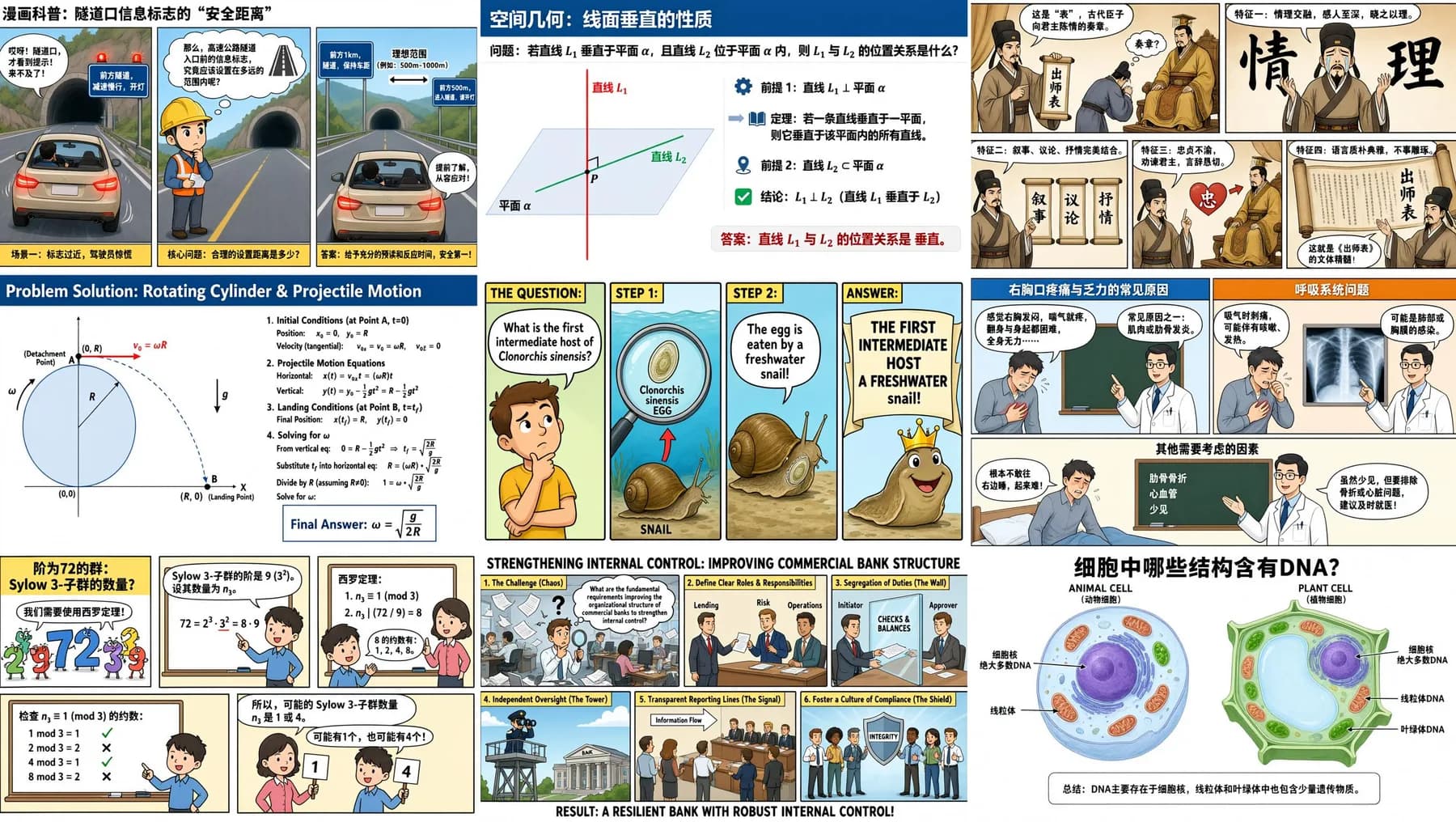
Qwen Image 3.0Nine infographics, one request
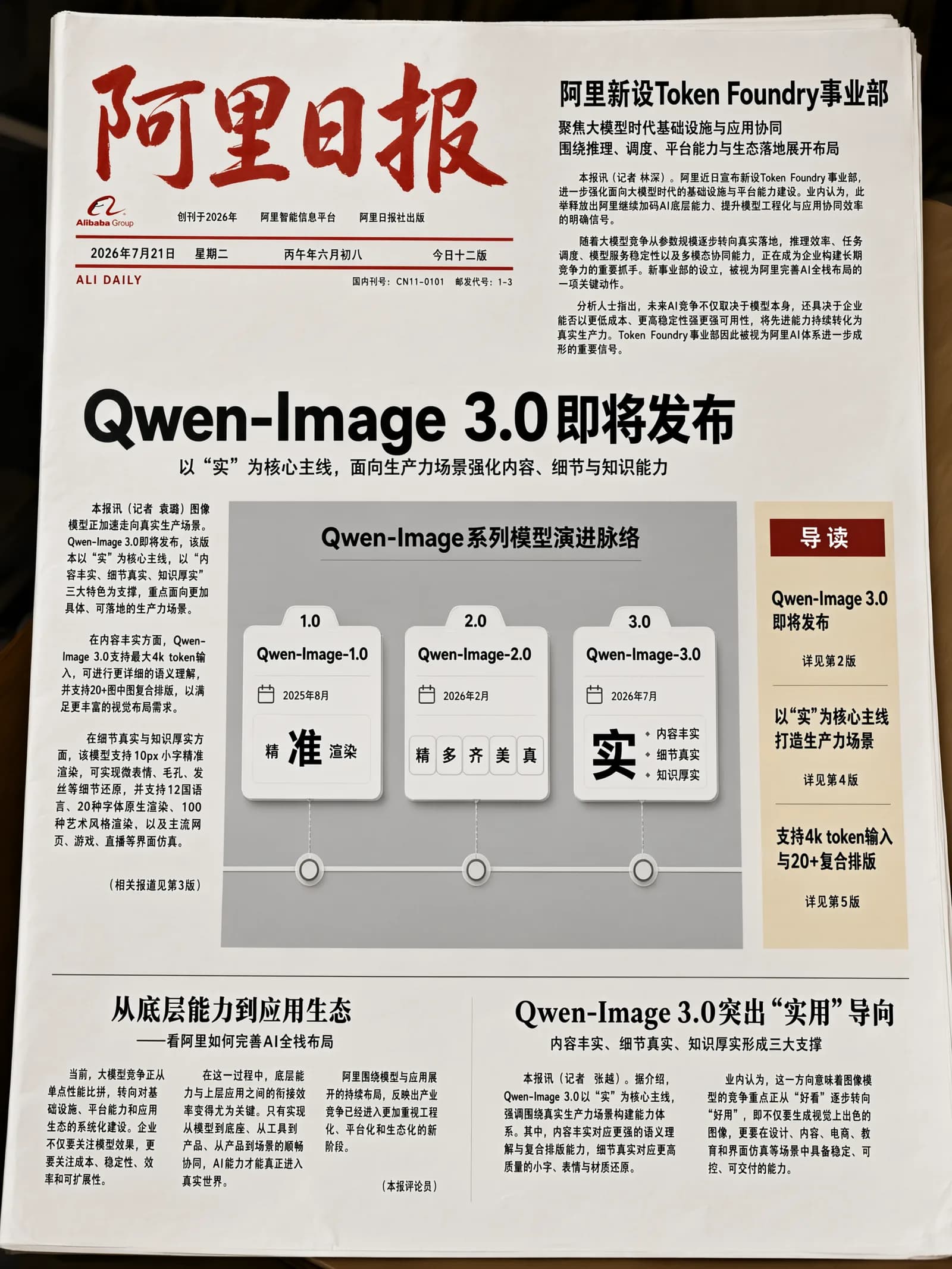
Qwen Image 3.0Full newspaper page
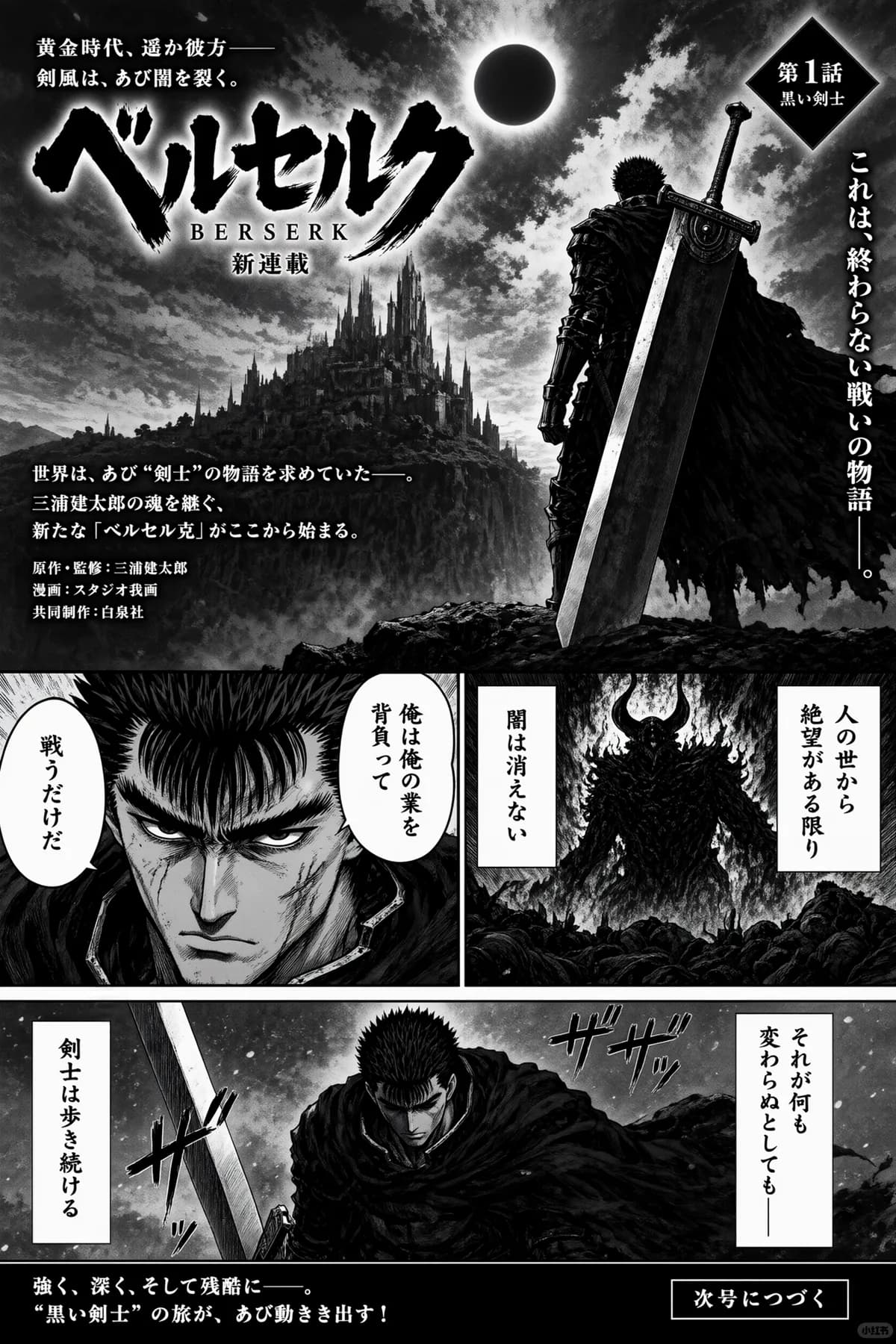
Qwen Image 3.0Japanese vertical poster
Qwen Image 2.1Sticker on a transparent background
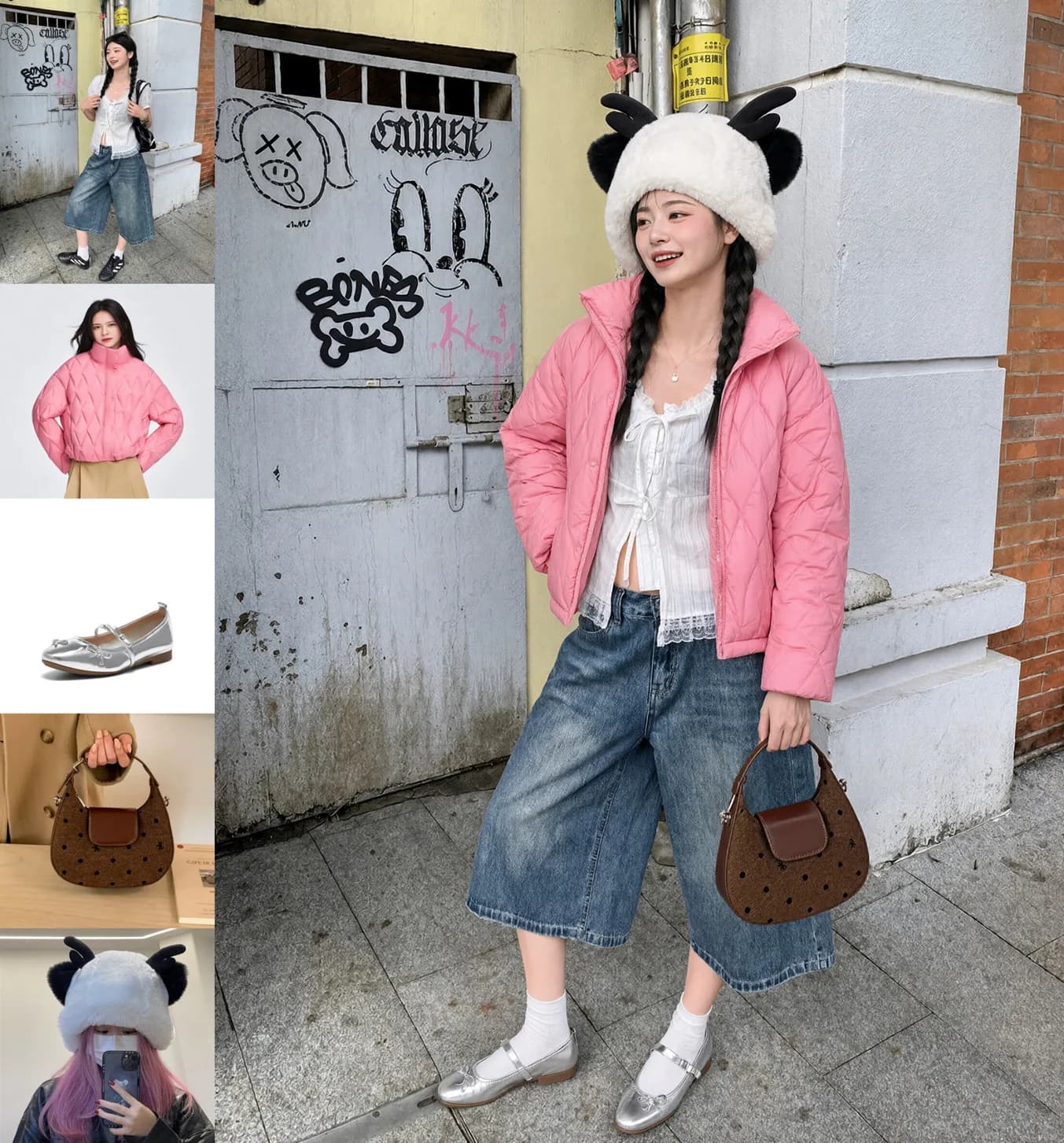
Qwen Image 2.1Five references, one outfit
Qwen Image 2.1Edit only the marked areas
How to call it
One endpoint - change the model name to switch
All four models use POST /v1/images/generations. You get a task_id back, then poll /v1/images/status/{task_id} for the result. To edit, add image_urls to the same request.
Text to image
curl -X POST https://api.apipod.ai/v1/images/generations \
  -H "Authorization: Bearer $APIPOD_API_KEY" \
  -H "Content-Type: application/json" \
  -d '{
    "model": "qwen-image-3.0",
    "prompt": "A whale shark infographic with anatomical labels, a distribution map and a facts panel",
    "resolution": "2K",
    "aspect_ratio": "3:4"
  }'

# {"task_id":"tsk_...","status":"processing"}
# GET https://api.apipod.ai/v1/images/status/tsk_...
Swap model for qwen-image-3.0-pro, qwen-image-2.1-pro or qwen-image-2.1-turbo
Image editing
curl -X POST https://api.apipod.ai/v1/images/generations \
  -H "Authorization: Bearer $APIPOD_API_KEY" \
  -H "Content-Type: application/json" \
  -d '{
    "model": "qwen-image-2.1-pro",
    "prompt": "Combine the model, jacket and shoes from these references into one full-body photo",
    "image_urls": [
      "https://example.com/model.png",
      "https://example.com/jacket.png",
      "https://example.com/shoes.png"
    ]
  }'
3.0 takes up to 3 reference images, 2.1 up to 10
FAQ
Common questions before you choose
What is the difference between Qwen Image 3.0 and 2.1?
3.0 is about text and layout: prompts up to 4.5k tokens, legible 10px text and 12 languages, for dense images like newspapers, infographics, LaTeX pages and UI screens, with up to 3 reference images for editing. 2.1 is about assets and editing: it outputs PNGs with a transparent background, takes up to 10 reference images, lets you circle, scribble or pass a mask to edit one region, and renders at native 2K.
How do I choose among the four models?
Lots of text or a dense layout: 3.0. Same need with print-grade finish: 3.0 Pro. Transparent assets, cut-outs or multi-image composites: 2.1 Pro. High volume, tight budget or drafts: 2.1 Turbo. All four take the same request format, so switching means changing the model field.
How is it billed?
Every model bills per successfully generated image. 3.0 has 1K and 2K tiers by delivered resolution - Standard charges the same for both, Pro charges more for 2K; requests without size bill at the 2K tier; each reference image adds $0.003. 2.1 has no tiers: Pro and Turbo each have one flat price, and edits cost the same. See the comparison table above or the pricing page for current prices.
Which models generate transparent backgrounds?
2.1 Pro and 2.1 Turbo. There is no separate transparency switch - ask for it in the prompt. The recommended phrasing is "This is an RGBA image with transparency. <subject>. The image has alpha channel and the background is transparent." For transparent assets, choose 2.1.
Do I need a different model or endpoint to edit images?
No. Use the same model and endpoint and add image_urls to the request. 3.0 takes up to 3 reference images and follows written instructions; 2.1 takes up to 10 and also lets you circle, scribble or pass a separate mask to mark exactly which area to change.
Made your pick? Grab a key and try one image.
Sign up, create an API key in the console, and call all four Qwen Image models from any OpenAI-compatible client.