

Seedream 5.5
Seedream 5.5 is ByteDance's latest image model: it holds untouched pixels steady across up to 100 rounds of edits, outputs true transparent PNG without matting, renders photorealistic scenes with legible small text, and decomposes any image into a base image plus transparent layers.
Available Models

Seedream 5.5 Text to Image
Seedream 5.5 is ByteDance's latest flagship image model. It renders photorealistic scenes with legible small text, supports 15 aspect ratios across 1K / 1.5K / 2K tiers, and outputs native RGBA transparent PNG without matting.
Seedream 5.5 Edit
Seedream 5.5 Edit accepts 1-10 reference images and preserves untouched pixels across up to 100 rounds of iterative editing - swap accessories, relight scenes or compose multiple subjects while the rest of the frame stays pixel-identical.
Seedream 5.5 Layer
Seedream 5.5 Layer decomposes one image into a base image plus up to max_images transparent PNG layers (2-100, default 30), ready for independent editing and recomposition in design tools.
Released Nov 9, 2026By ByteDance Seed · OpenAI-compatible image API
Seedream 5.5 APITransparent PNGs, no cut-out.
Call ByteDance's Seedream 5.5 through APIPod. Generate images with real transparent backgrounds, edit the same image 100 times without it drifting, and split any image into layers you can edit separately. $0.02 per 1K image, one API key.
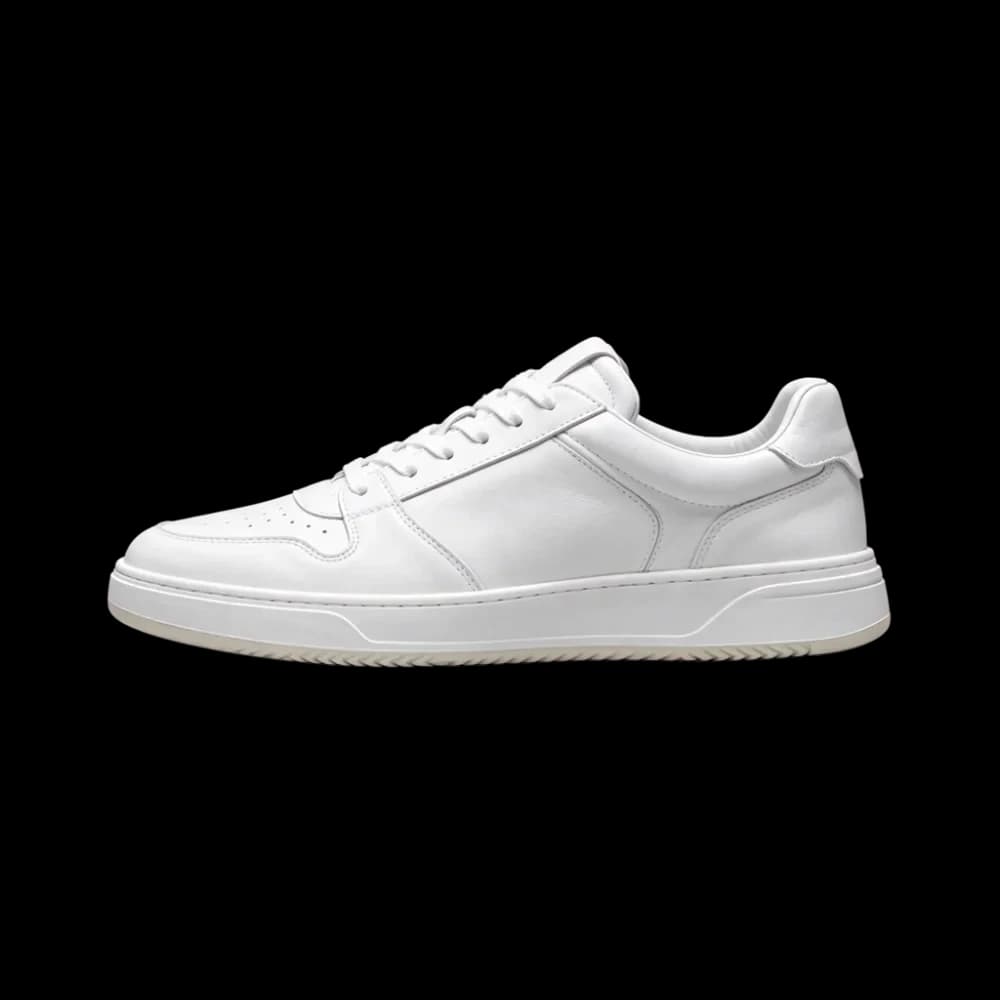
Official sample. Add background: "transparent" to the request and you get a PNG with a real alpha channel. Change the backdrop: no white fringe, nothing to mask out.
- Models
- 3
- generate, edit, split into layers
- Resolution
- 1K · 1.5K · 2K
- 1K and 1.5K cost the same
- Edit rounds
- 100
- unedited areas stay untouched
- Transparency
- RGBA
- full and partial alpha
- Layer split
- ≤ 100
- set max_images from 2 to 100
- Severe text errors
- 0.4%
- small Chinese and English text
seedream-5.5-edit
Edit 100 times. Only what you asked for changes.
Repeated edits usually wear an image down: colors shift, faces change, background detail disappears. Seedream 5.5 changes only the part you describe and leaves everything else as it was, so each result can safely feed the next edit. Drag the slider to turn the same café from late afternoon into a rainy night.
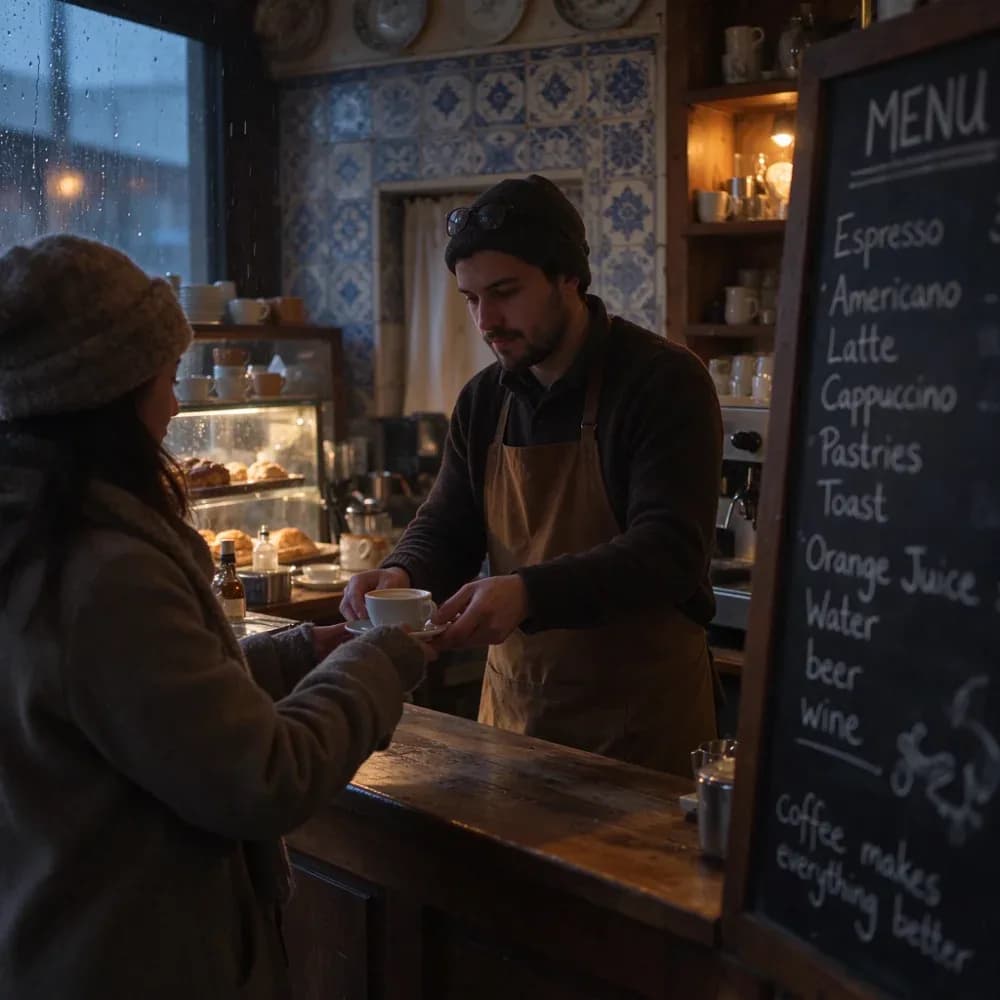
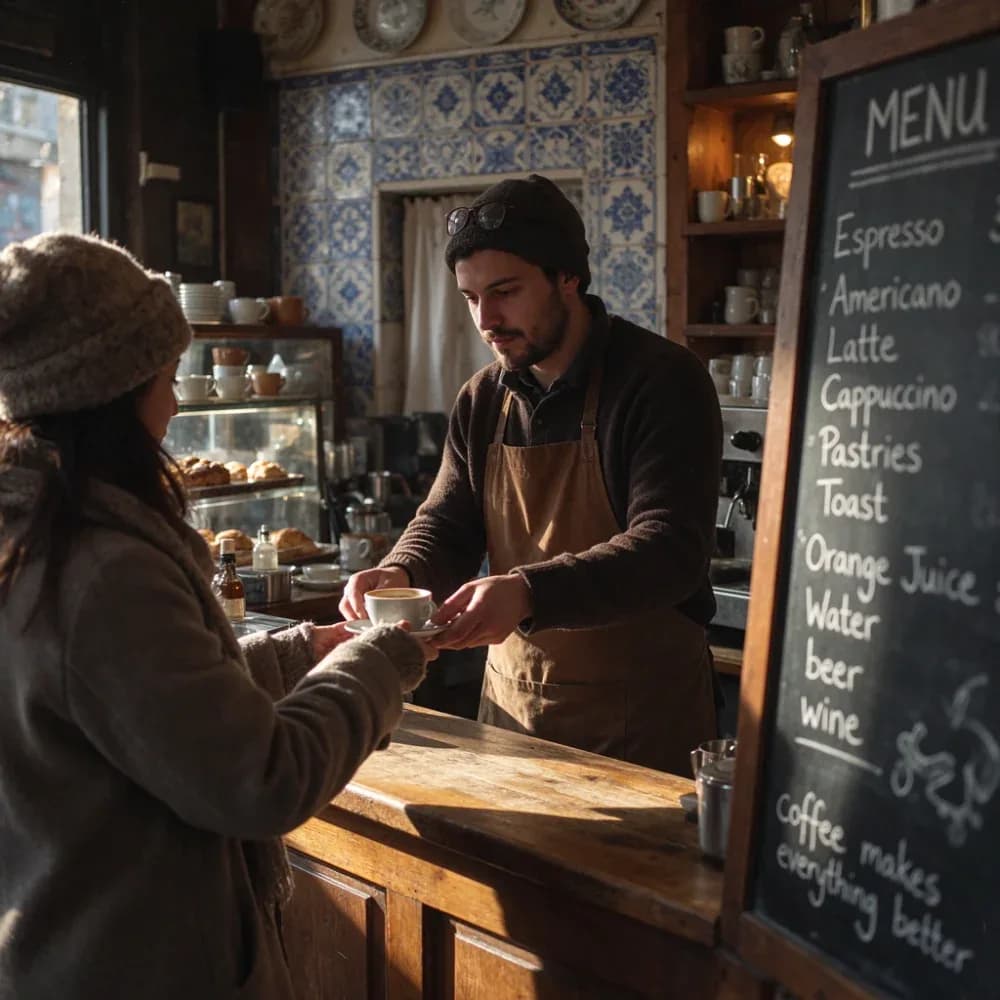 Original: late afternoonEdited: rainy night
R 000
Step 1: generate the café scene
“A cozy street-side cafe in Lisbon at golden hour, a barista handing a cup of coffee across the counter, warm natural light, blue azulejo tiles, photorealistic, shot on 35mm”
R 000
Step 1: generate the café scene
R 023
Step 2: make it a rainy night, keep the people and framing
R 061
Step 3: warm up the indoor lights
R 092
Final: leave every other pixel alone
ByteDance's official demo: 100 edits on the same portrait, swapping clothes, accessories and props. Rings and glasses frames stay sharp and accurate.
seedream-5.5-layer
Split one image into editable transparent layers
Upload a finished image and seedream-5.5-layer returns a background plus a set of transparent PNG layers. Each layer comes with a z_index (stacking order), a name and its position. Open them in Figma or Photoshop to change text, swap the background or move a single object. Drag the slider to spread the layers, then pick one in the list to see what the API returns for it.
One layer from result[]
"z_index": 11,
"name": "Electric guitar",
"description": "Sunburst Les Paul guitar, no background",
"url": "https://…/layer_11.png"
Official sample: a music gear poster split into a background and 12 transparent layers.
Examples
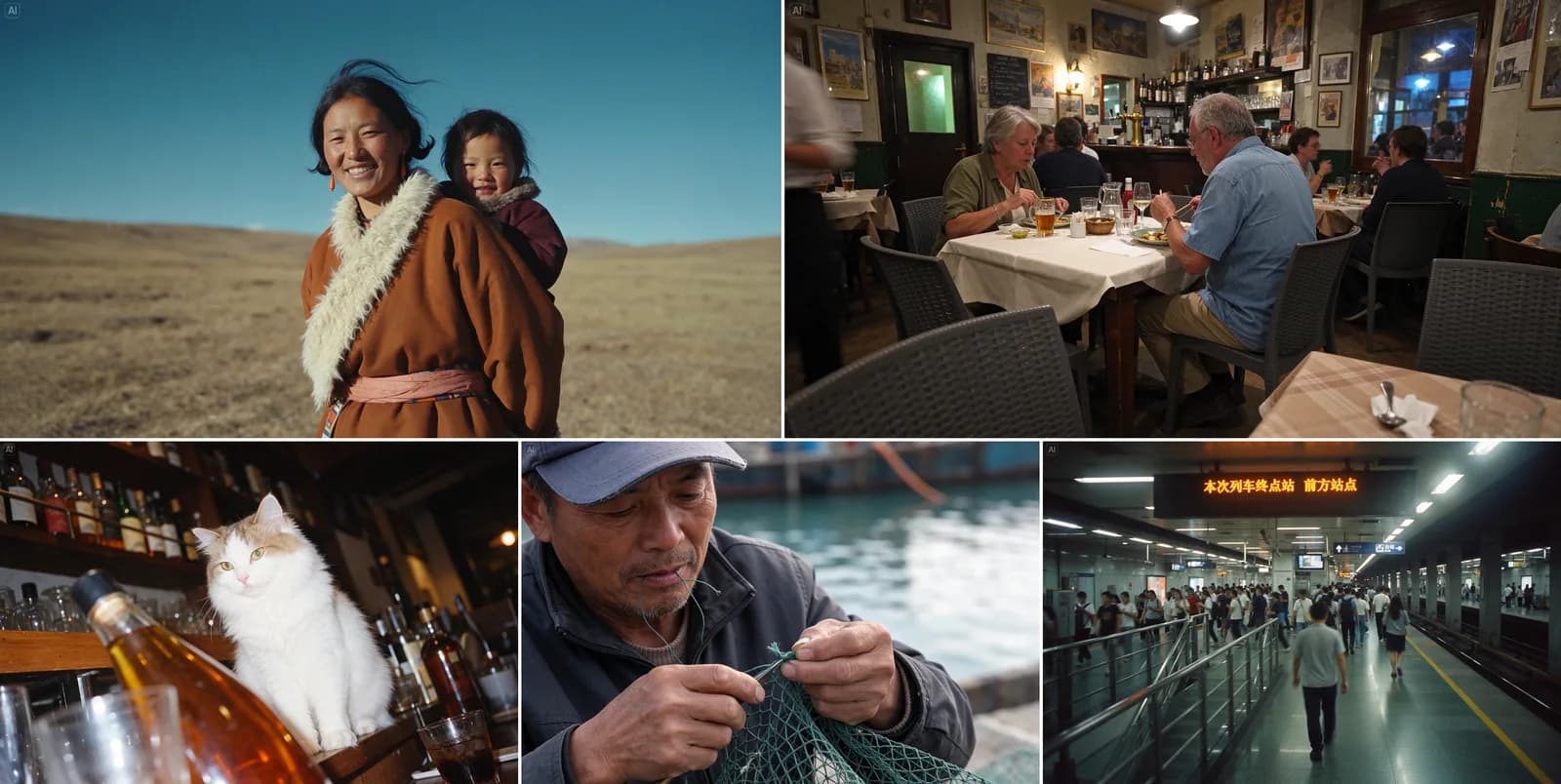
Images made with Seedream 5.5
Skin texture in portraits, product ads, rainy street scenes and tightly packed small text in English and Chinese. Every image includes its original prompt, so you can copy it and run it with seedream-5.5.
Portrait: backlit hair and skin texture
A young woman glancing back toward the camera, visible skin texture, natural highlight falloff across her shoulder, loose strands of hair catching the backlight
Street café, film look
A cozy street-side cafe in Lisbon at golden hour, a barista handing a cup of coffee across the counter, warm natural light, blue azulejo tiles, a chalkboard menu written in English, photorealistic, shot on 35mm
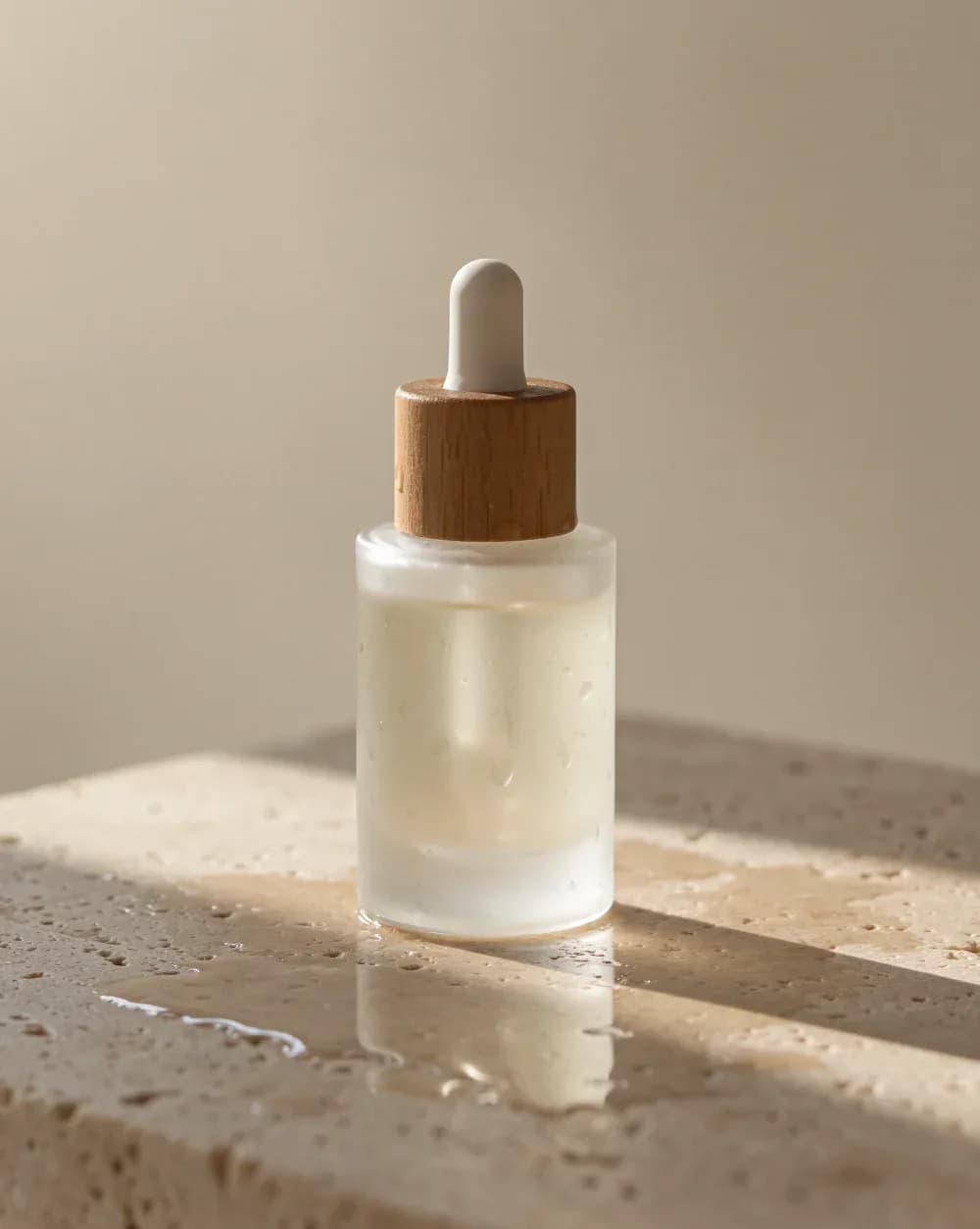
Skincare product ad
A minimalist skincare product shot: a frosted glass serum bottle with a wooden cap on a wet travertine stone, soft morning light, water droplets, shallow depth of field, clean beige background, commercial photography
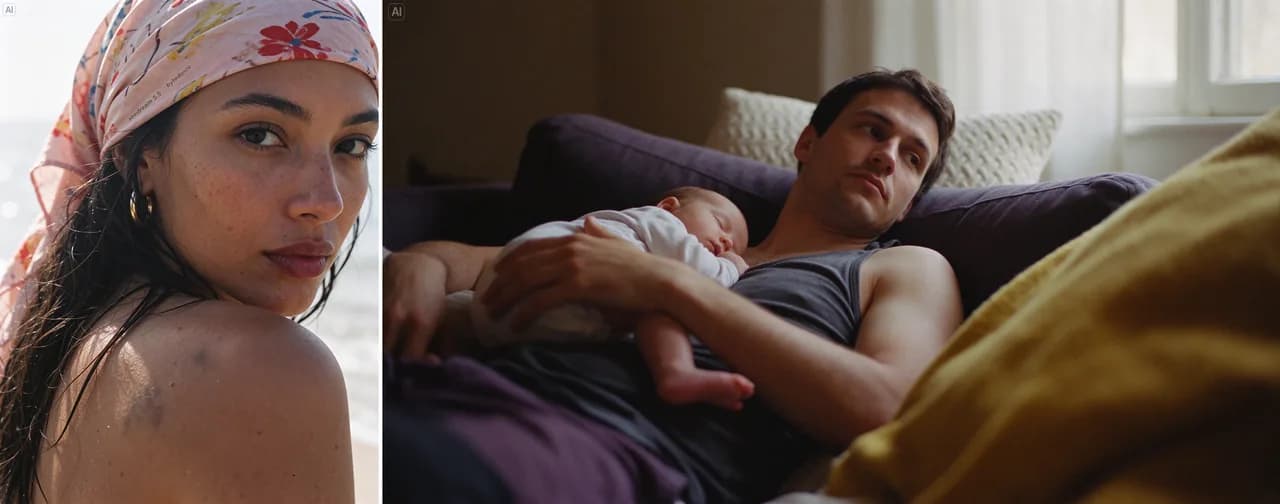
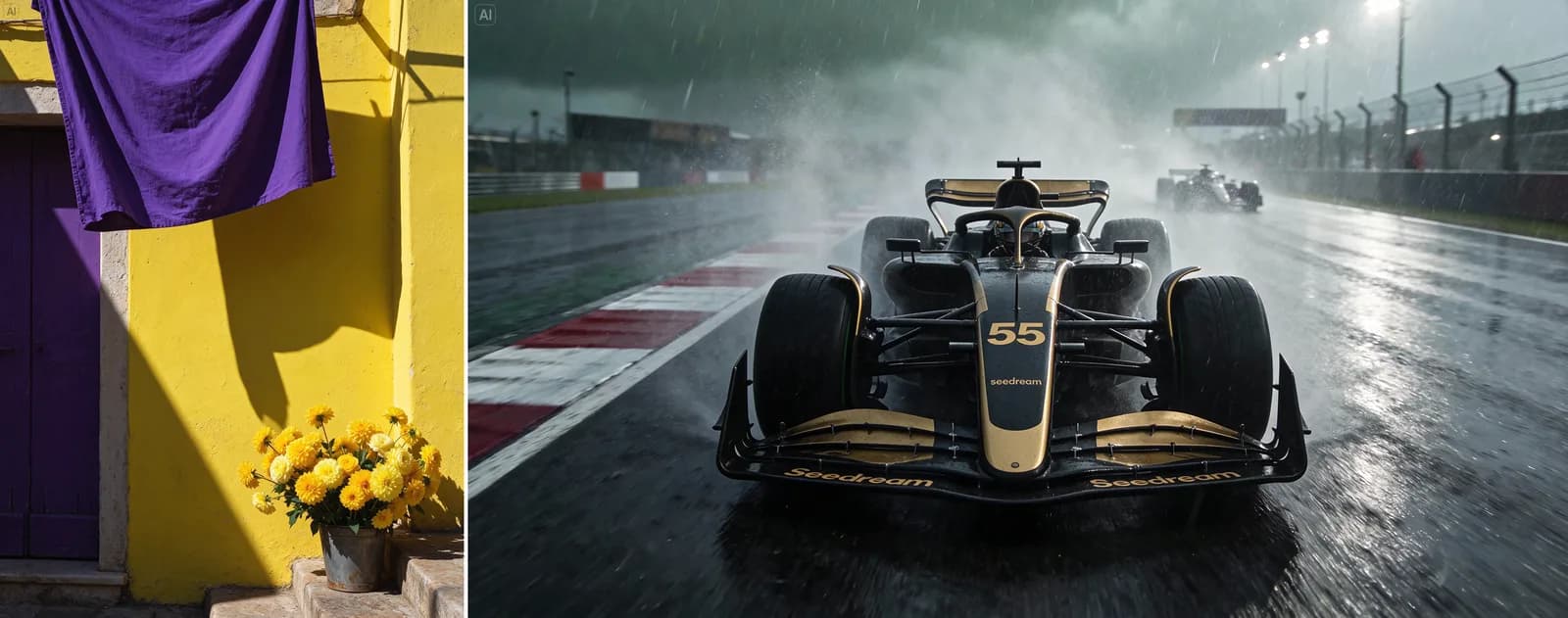
Curtain folds and a race car in the rain
Sunlight raking across the folds of a purple curtain casting shadow on a rough yellow wall; a race car speeding along a rain-soaked track, tire spray obscuring distant cars
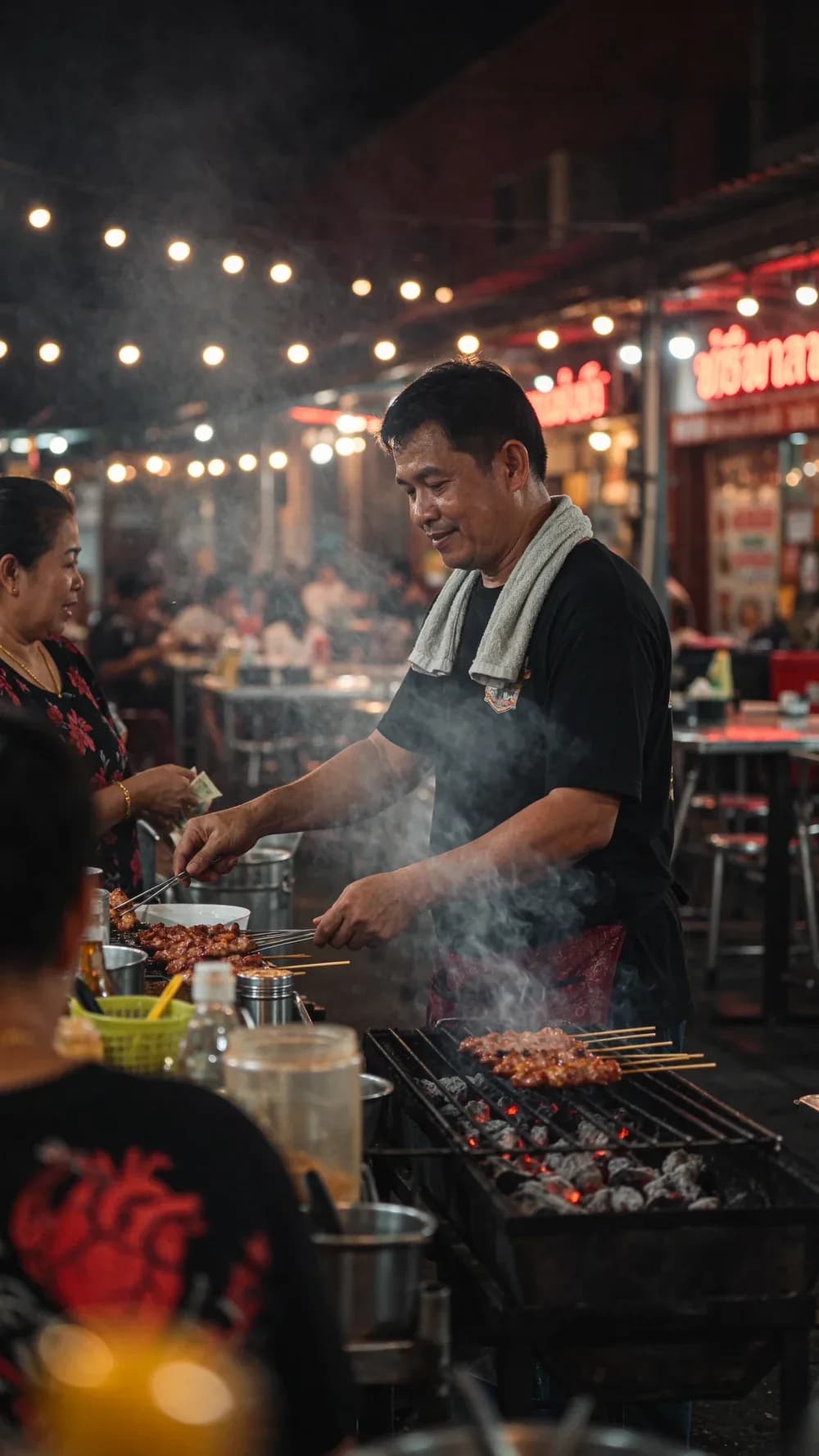
Bangkok night market vendor
A street food vendor in Bangkok at night grilling skewers, smoke rising, neon signs and string lights behind, candid documentary photo, photorealistic, vertical frame
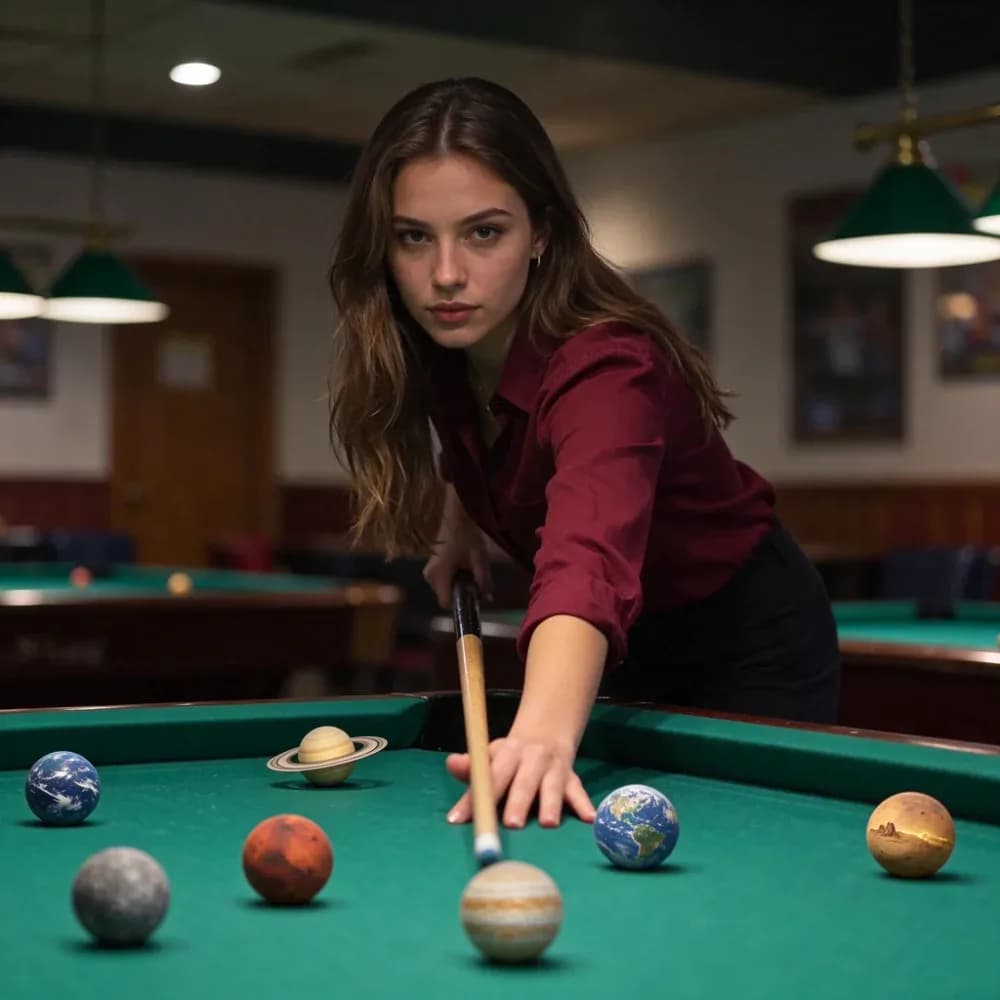
Billiard balls as planets
Transform only the billiard balls into miniature realistic planets, each with distinct clouds, oceans, rings, rocky surfaces, or atmospheric patterns, while preserving their original size, position, shadows, and glossy reflections
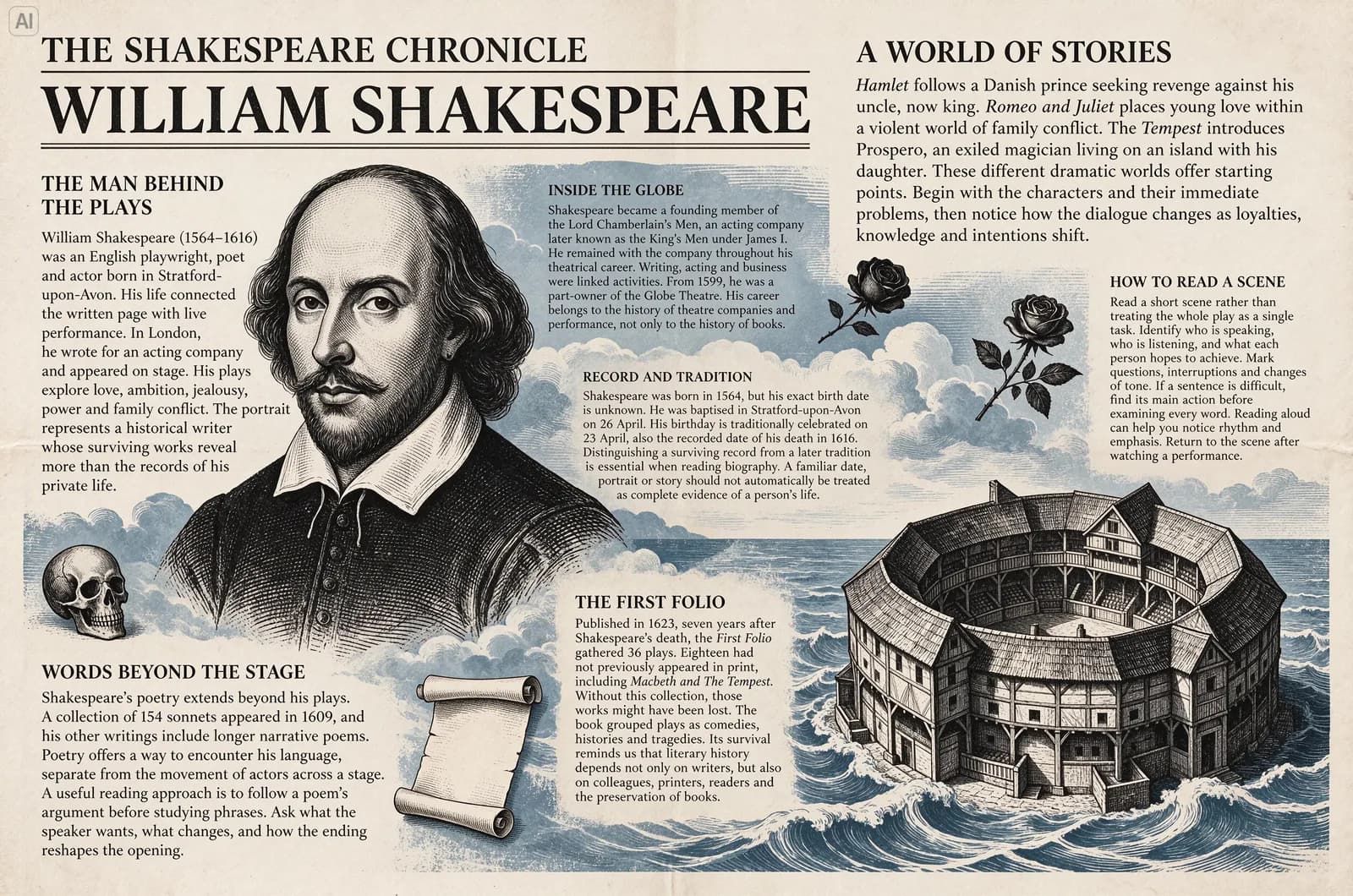
Old newspaper page: dense English text
A newspaper-style page about Shakespeare, several passages of small English text between his portrait and an illustration of a theater, compact yet legible layout
Butterfly infographic: dense Chinese text
An infographic of a blue morpho butterfly, eight illustrated notes in small Chinese captions describing the antennae, wing veins and scales, dense small text stays legible
Images from ByteDance Seed's launch announcement and WaveSpeed's model example pages.
Benchmarks
How Seedream 5.5 compares to 5.0
These numbers come from ByteDance's own evaluation: expert reviewers compared outputs side by side on MagicArena across six real use cases (e-commerce, marketing, film, games, office work and fashion design).
Image-to-image realism (GSB)
+55.62%
GSB is a side-by-side preference score. Against Seedream 5.0 Pro, 5.5 won all four text and realism comparisons.
Severe text error rate
0.4%
Minor errors 1.7%. Both are well below the previous version, so text on posters, packaging and infographics comes out right more often.
Usable results in film and office work
2×+
More than double Seedream 5.0 Pro, with gains in all six use cases.
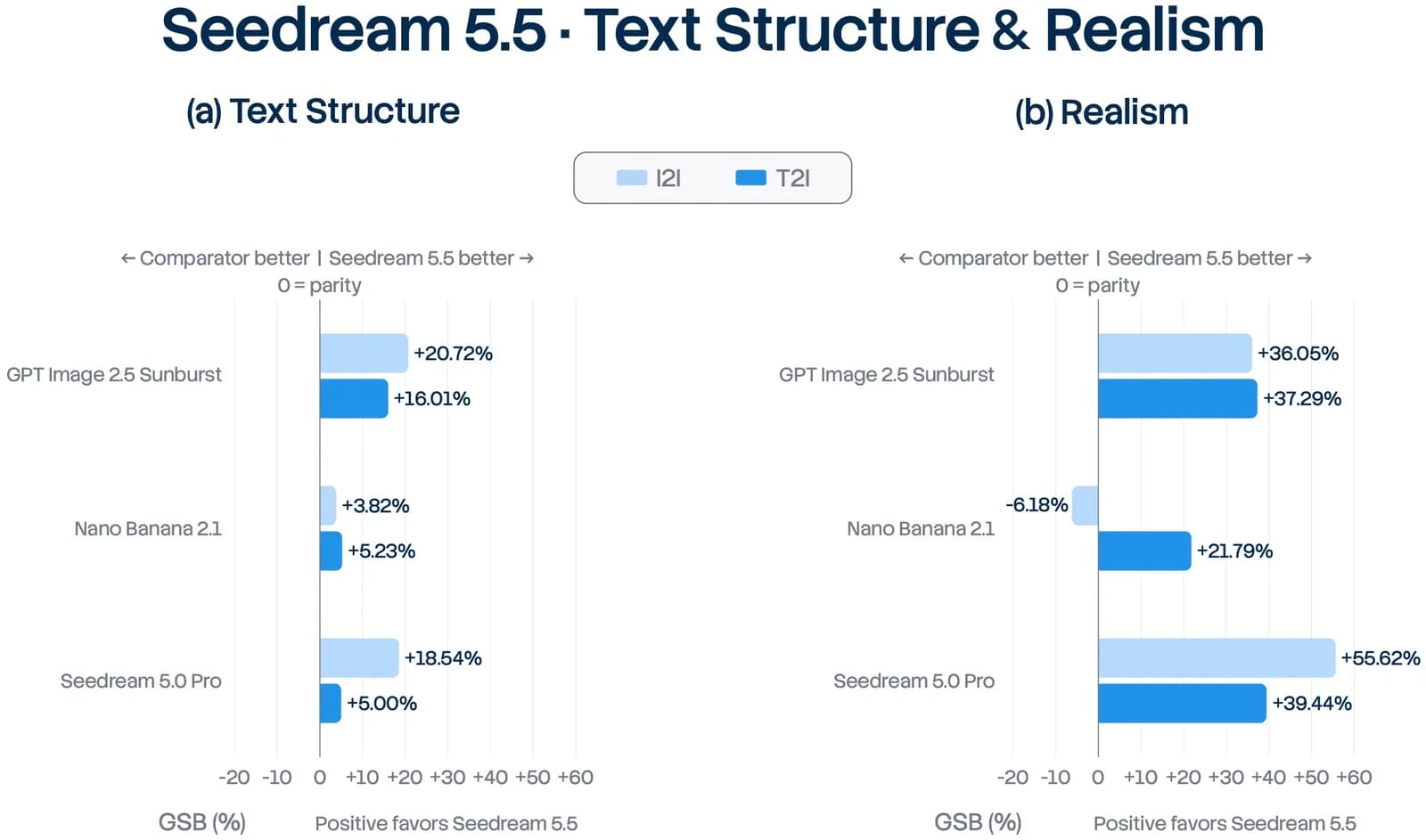
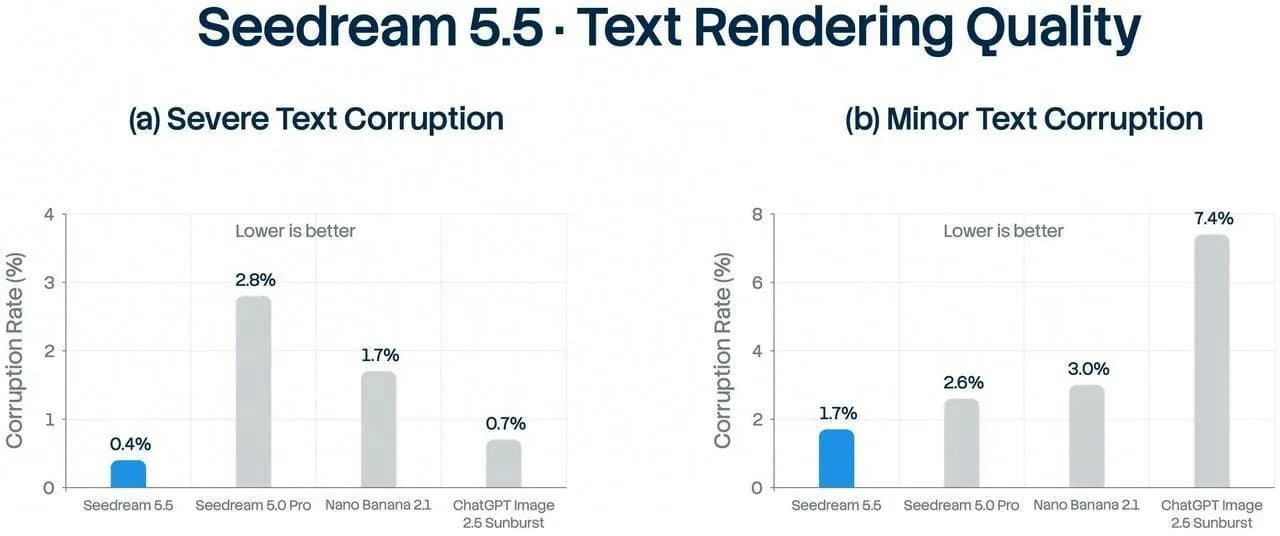
Data and charts from ByteDance Seed's launch announcement (2026-11-09): seed.bytedance.com
Models & pricing
Seedream 5.5 API pricing
All three models use the same API key and the same /v1/images endpoint. You pay per generated image, deducted from your balance.
seedream-5.5
Generate
Photorealistic images, transparent backgrounds on request, up to 2K.
- Input
- prompt
- Price
- $0.02 / image
seedream-5.5-edit
Edit
Up to 10 reference images, consistent across many rounds, one-line background removal.
- Input
- prompt + up to 10 images
- Price
- $0.02 / image
seedream-5.5-layer
Split
Turn one image into a background plus transparent layers.
- Input
- 1 image
- Price
- $0.02 × max_images
1K and 1.5K images cost $0.02 each; 2K costs $0.027. The edit model adds $0.008 for each reference image, up to 10. Layer split costs max_images × the per-image price, based on the limit you set, not the number of layers you get back.
Layer split cost
What a layer split costs
Cost per request
$0.60
30 × $0.02
You're charged for the max_images you set. A simple image may return fewer layers and still costs the same, so start small if you're unsure. The default is 30.
Code examples
How to call the Seedream 5.5 API
POST /v1/images/generations to submit a task and get a task_id, then poll /v1/images/status/{task_id} until the image URLs come back. Layer split results are in result[], each with z_index, name and url.
Full API docscurl https://api.apipod.ai/v1/images/generations \
-H "Authorization: Bearer $APIPOD_API_KEY" \
-H "Content-Type: application/json" \
-d '{
"model": "seedream-5.5",
"prompt": "A cozy street-side cafe in Lisbon at golden hour, photorealistic, shot on 35mm",
"resolution": "1K",
"background": "transparent"
}'
# → { "code": 200, "data": { "task_id": "…" } }
curl https://api.apipod.ai/v1/images/status/$TASK_ID \
-H "Authorization: Bearer $APIPOD_API_KEY"Requests run as async tasks. Use your existing APIPod API key and balance.
Versions
Seedream 5.5 vs Seedream 5.0
Already on Seedream 5.0? Here's what changes when you upgrade.
| Capability | Seedream 5.5 | Seedream 5.0 Pro | Seedream 5.0 Flash |
|---|---|---|---|
| Best for | Everyday work: realistic output, stable edits | Infographics, reference-based edits | Speed and low cost |
| Resolution tiers | 1K · 1.5K · 2K | 1K · 1.5K · 2K | 1K · 1.5K · 2K |
| Multi-round editing | 100 rounds, unedited areas untouched | Works, loses detail over many edits | Works, loses detail over many edits |
| Transparent output | Full and partial alpha | No | No |
| Layer split | Up to 100 layers | Up to 100 layers | Up to 100 layers |
| Severe text errors | 0.4% | Higher than 5.5 | Higher than 5.5 |
| Official model name | Doubao-Seedream-5.5 | Doubao-Seedream-5-0-Pro | Doubao-Seedream-5-0-Flash |
ByteDance says a Pro version of Seedream 5.5 is coming.
FAQ
Seedream 5.5 API FAQ
What is Seedream 5.5?
Seedream 5.5 is an image generation model released by ByteDance's Seed team on November 9, 2026. Compared with 5.0 it produces more realistic photos, gets small text right more often, holds up across 100 rounds of editing, and can generate images with transparent backgrounds. APIPod offers three models: seedream-5.5 (generate), seedream-5.5-edit (edit) and seedream-5.5-layer (split into layers).
How do I use the Seedream 5.5 API?
Sign up for APIPod, create an API key in the console, and send a POST request to /v1/images/generations with model set to seedream-5.5, seedream-5.5-edit or seedream-5.5-layer. The API is async: you get a task_id back, then poll /v1/images/status/{task_id} for the result. The code examples on this page have ready-to-copy curl, Python and Node snippets.
How much does the Seedream 5.5 API cost?
Generating and editing cost $0.02 per image at 1K and 1.5K, and $0.027 at 2K. Editing adds $0.008 per reference image, up to 10. A layer split costs max_images × the per-image price for your resolution. Everything is deducted from your APIPod balance.
How do I generate an image with a transparent background?
Call seedream-5.5 with background set to "transparent". You get back a PNG with a real alpha channel, including partial transparency for things like glass and smoke. Drop it straight into a poster, web page or game without masking or edge cleanup.
Will the image degrade if I keep editing it?
Seedream 5.5 was trained specifically for this. Each edit changes only what you ask for and leaves the rest of the image as it was, with no color drift or lost detail. In ByteDance's demo, the same image goes through 100 edits and faces and accessories stay accurate.
What can I do with layer split, and how is it billed?
Send an image to seedream-5.5-layer and you get a background plus transparent PNG layers, each with z_index, name, description and bounding box. Use it to change poster text, swap a product background or animate parts of an image. max_images (2–100, default 30) sets the layer limit, and the cost is max_images × the per-image price, based on the limit rather than the layers actually returned.
Should I use Seedream 5.5 or 5.0 Pro?
For most work, use 5.5. It's more realistic, more accurate with small text, steadier across repeated edits, and supports transparent backgrounds. If you already have an infographic workflow on 5.0 Pro that works well, it's fine to keep it. ByteDance says a Pro version of 5.5 is on the way.
Start using the Seedream 5.5 API
Create an API key and call seedream-5.5, seedream-5.5-edit and seedream-5.5-layer. Pay per image from your balance.