
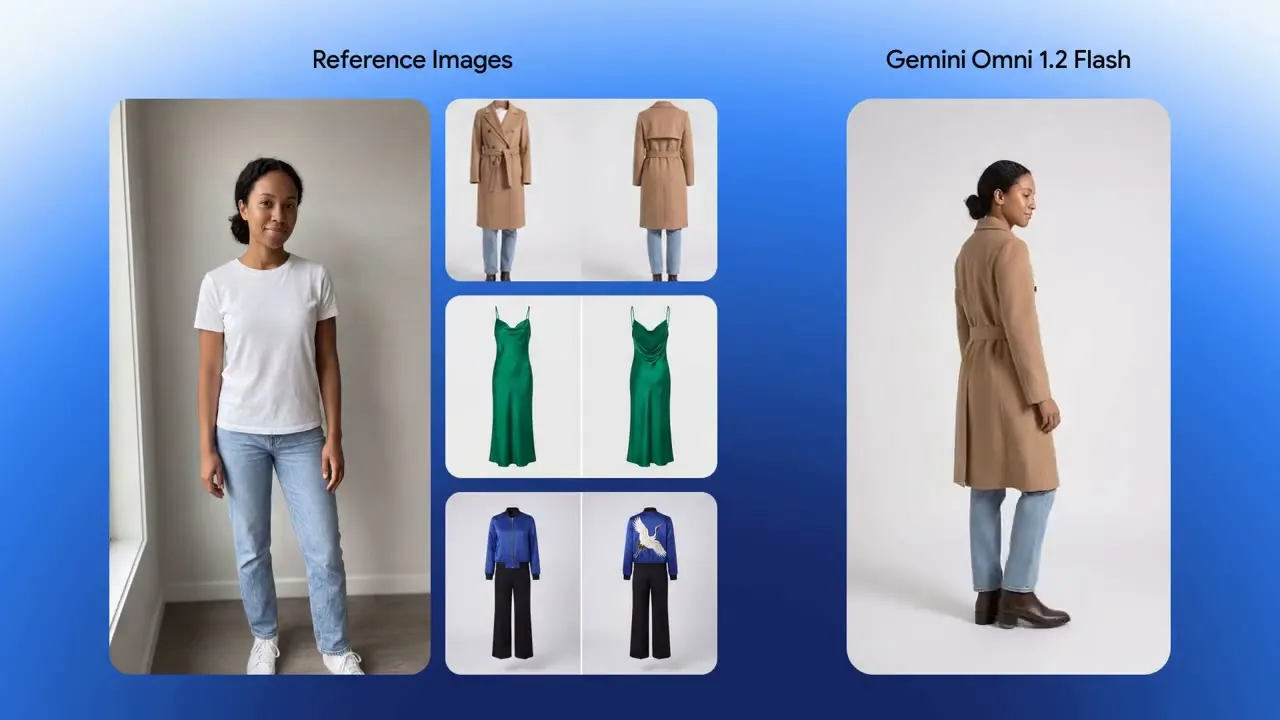
 r2v15s
Virtual try-on, 15 seconds
One model photo plus front-and-back shots of three outfits become a single 15-second try-on sequence — 360° turns and hard match cuts, with identity, cut and drape held throughout.
From the 1.0 original to 1.2's 15-second, multi-turn-editable clips — every Omni Flash generation ships on APIPod behind the same unified async video API. Pick a version by the job; switch by changing one model ID.
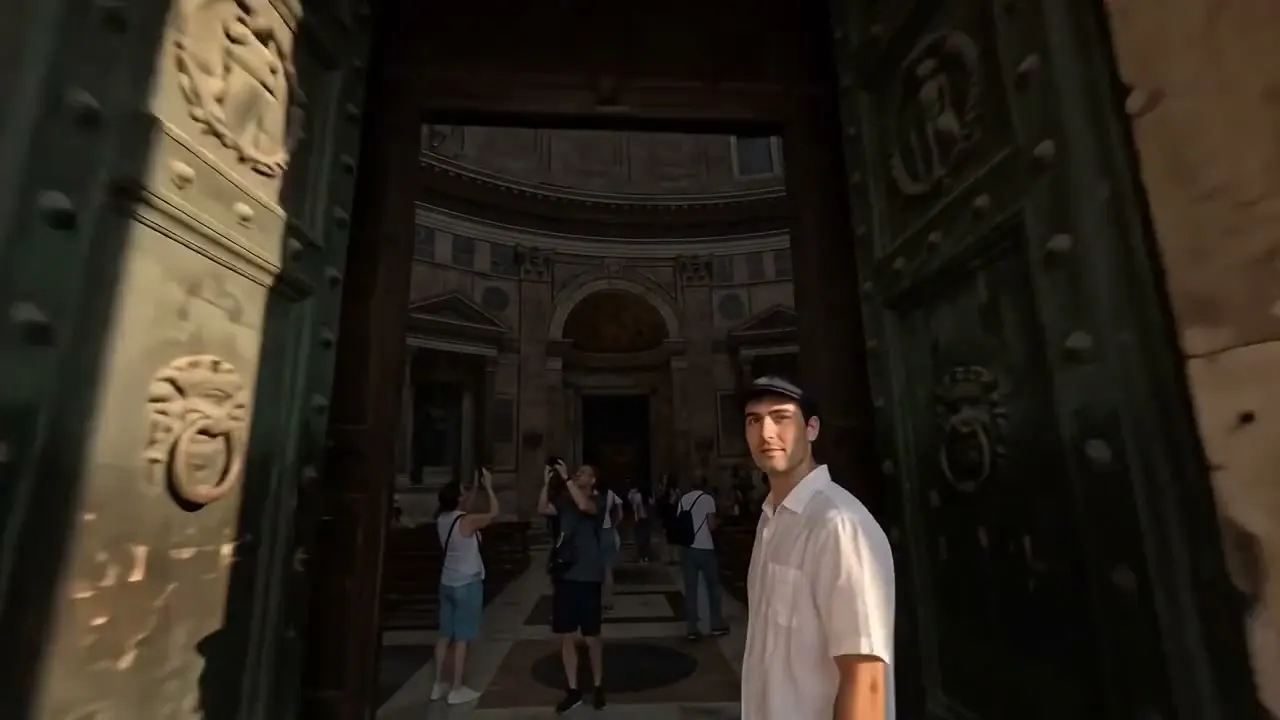
One shot through the PantheonReference-to-video · 15s · generated by Gemini Omni Flash 1.2
Each generation widened what the fast tier can do. The newest isn't always the right tool — 1.0 still owns flexible 1–30s durations at a flat price.
The original multimodal model: 1–30 second clips, up to 5 references, flat per-video pricing — still the cheapest way to make straightforward shots.
Open seriesThe fast tier grew 4K output, 7 references and 10-second-context scene extension; per-video pricing by resolution made 360p drafts nearly free.
Open seriesNative 3–15 second clips, ten references, conversational editing and extension — per-second billing at 30% lower list pricing. The current default.
Open seriesThe facts that decide a migration: durations, resolutions, reference counts, editing surface and how each one bills.
| Capability | Omni 1.0 | Flash 1.1 | Flash 1.2 |
|---|---|---|---|
| Model IDs | gemini-omni-{t2v,i2v,r2v,extend} | gemini-omni-flash-1.1-{t2v,i2v,r2v,extend} | gemini-omni-flash-1.2-{t2v,i2v,r2v,edit,extend} |
| Clip duration | 1–30s | 4–10s | 3–15s |
| Resolutions | 720p · 1080p | 360p · 720p · 1080p · 4K | 360p · 720p · 1080p · 4K |
| Reference images | ≤ 5 | ≤ 7 | ≤ 10 |
| Editing surface | Extend | Extend | Multi-turn edit + extend |
| Audio | Native, synced | Native, synced | Native, clearer lip-sync |
| Billing model | Flat per video | Per video × resolution | Per second × resolution |
On APIPod every generation returns the same task_id + polling contract. Google auto-routes 1.1 Flash traffic to 1.2 from December 3, 2026.
What the newest generation looks like in practice — every clip below is a single Omni Flash 1.2 generation (or one multi-turn chain), straight from Google's launch material.
r2v15sOne model photo plus front-and-back shots of three outfits become a single 15-second try-on sequence — 360° turns and hard match cuts, with identity, cut and drape held throughout.
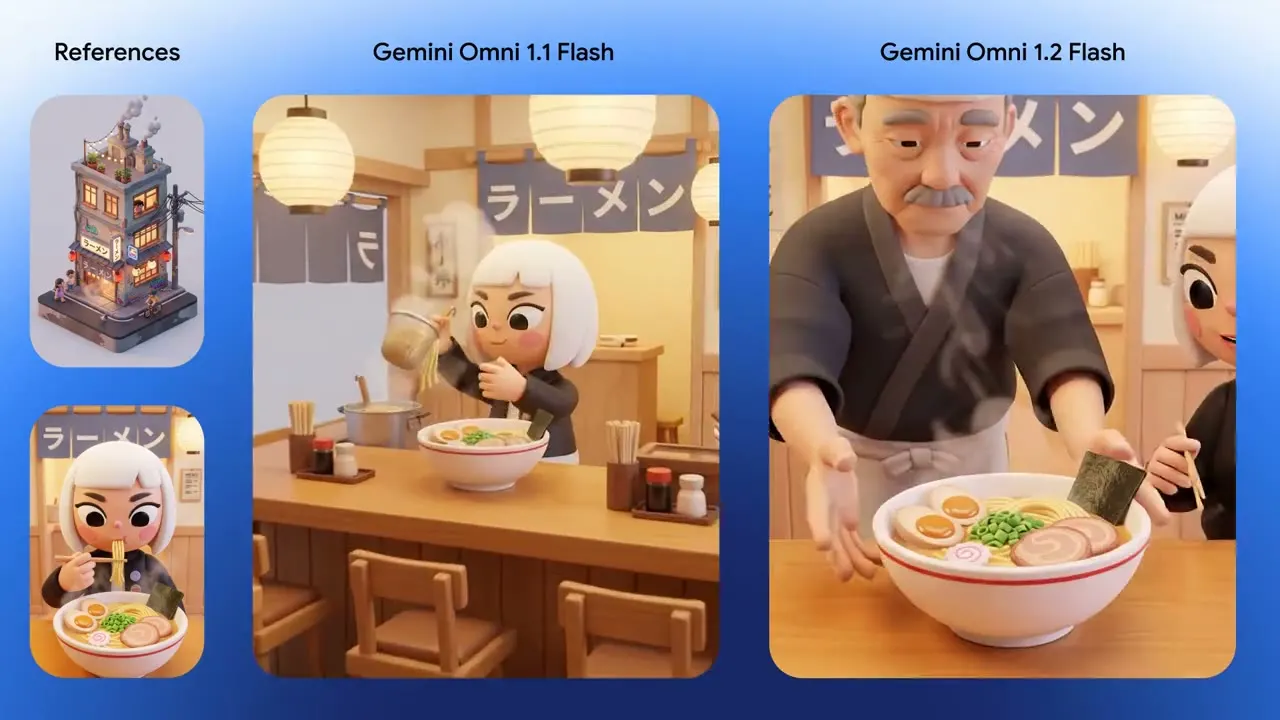 i2v10s
An exterior start frame and an interior end frame join in one continuous camera push — roof cats, ladle and signage all survive the trip.
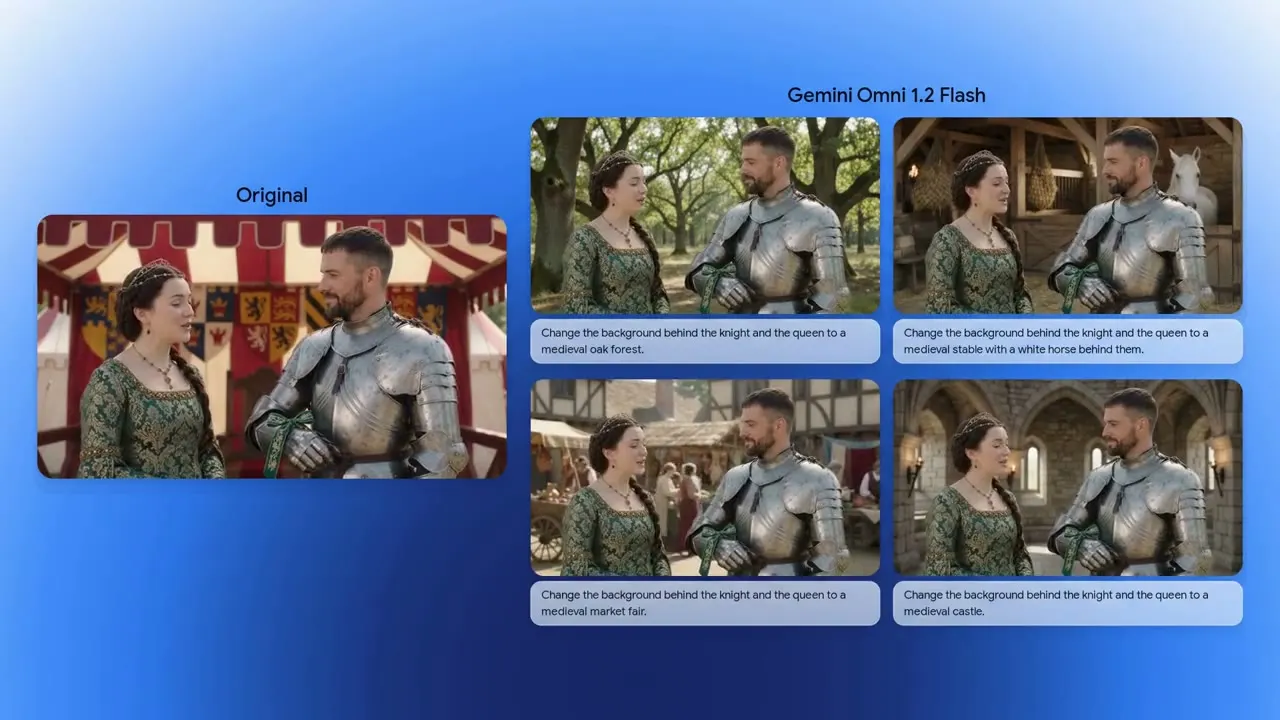 edit15s
Turn-by-turn prompts swap the backdrop — striped tent, oak forest, stable, market, castle — while both performances, armor reflections and framing stay put.
 edit15s
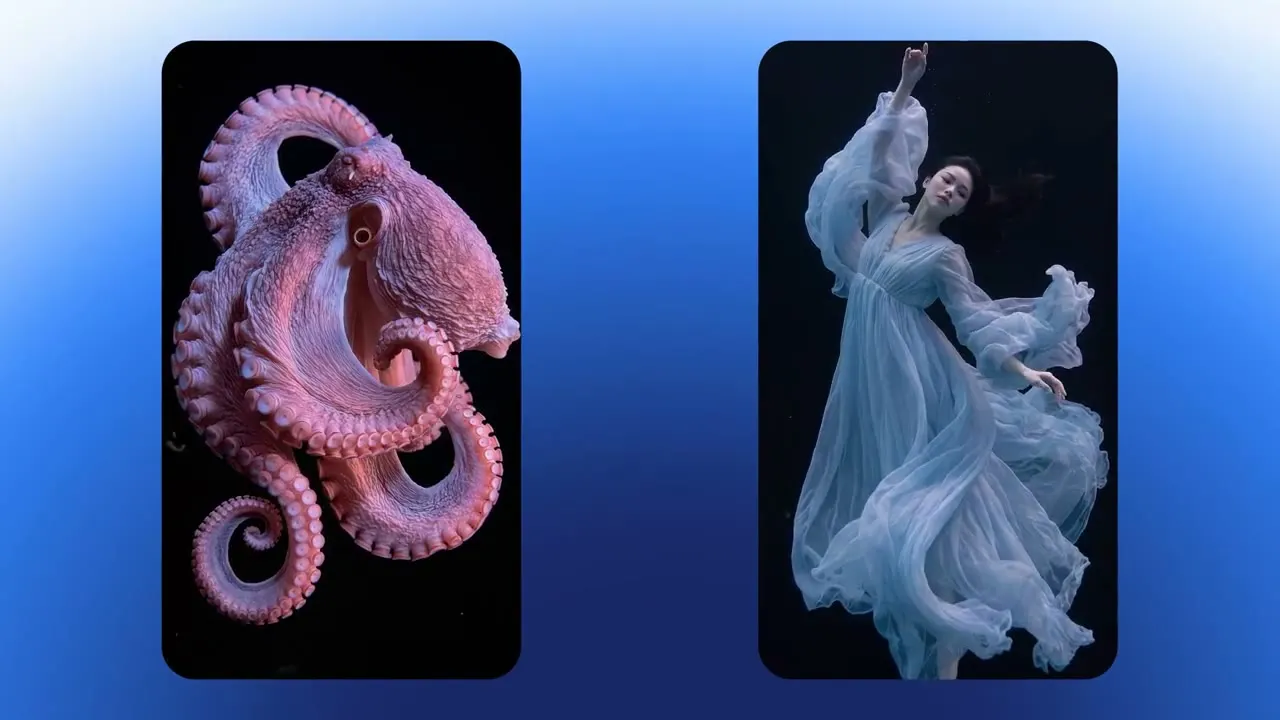
Turn 1 generates a rippling octopus; turn 2 replaces it with a dancer whose gown mirrors the exact same fluid motion.
 r2v15s
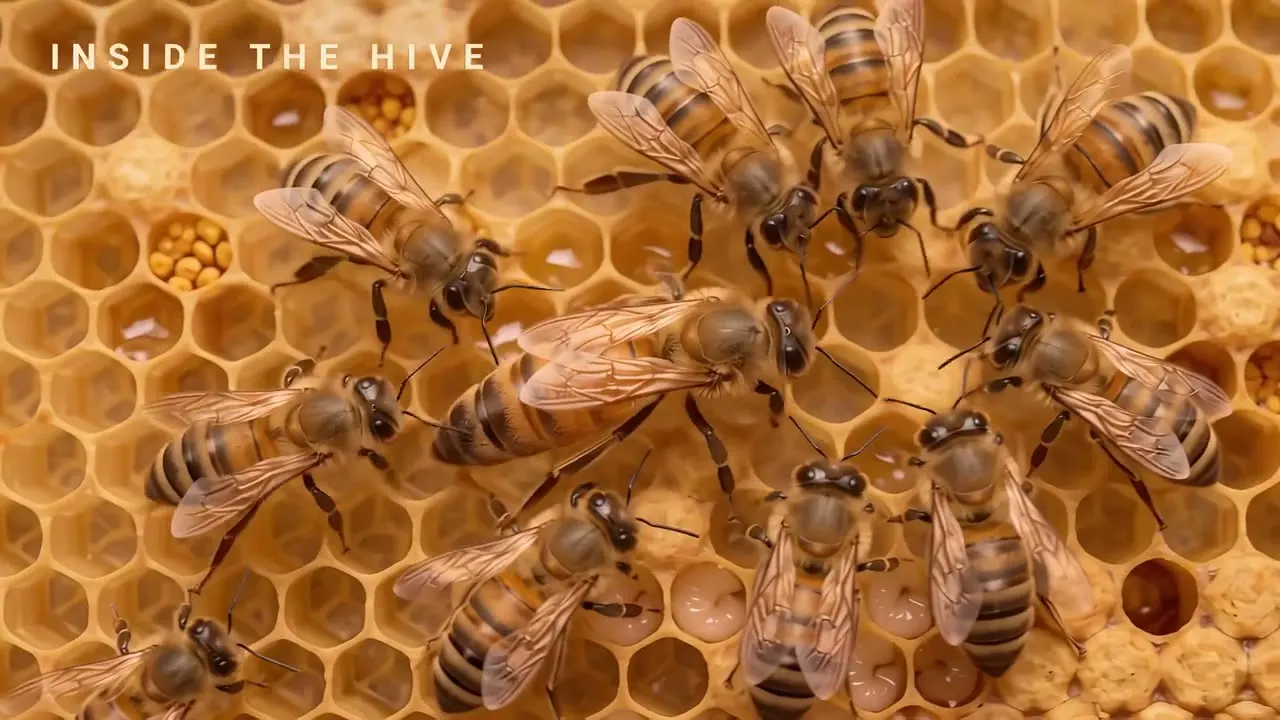
One style frame becomes a 4-shot macro explainer with accurately spelled, motion-tracked callouts — egg, larva, queen — inside the hive.
 r2v15s
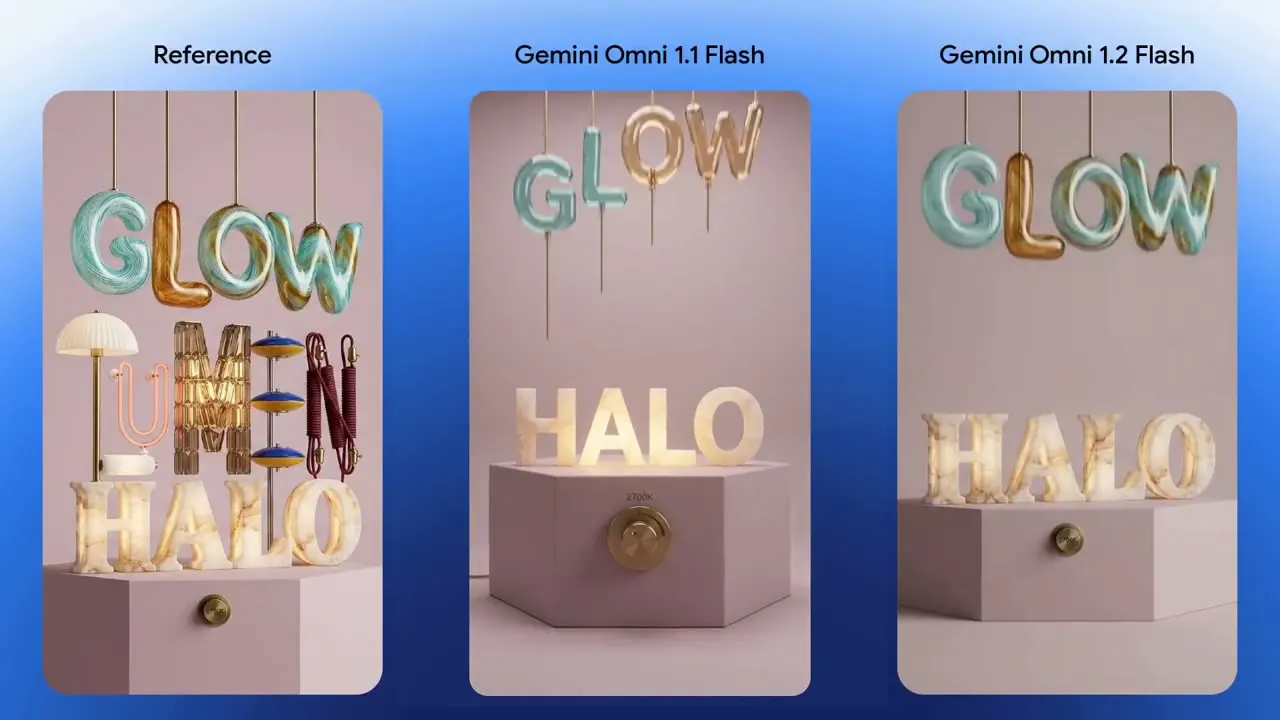
A reference poster drives a vertical animated build — HALO, GLOW, LUMEN — locking materials, shadows and letterforms to the final frame.
 r2v15s
A conservatory scene image plus character, mouth and one-second voice references: each sampled voice lands on the right character with expressive lip-sync and comedic timing.
 t2v14s
Text only: an intimate close-up on a castaway pulls back in one continuous move to reveal the whole island.
Clips from Google's Gemini Omni 1.2 Flash announcement, compressed and re-hosted on APIPod's CDN. Originals on blog.google.
Google routes 1.1 Flash requests to 1.2 from December 3, 2026 — and because the request shape never changed, migrating is mechanical.
- "model": "gemini-omni-flash-1.1-t2v"+ "model": "gemini-omni-flash-1.2-t2v"
Change gemini-omni-flash-1.1-t2v to gemini-omni-flash-1.2-t2v (likewise -i2v / -r2v). Payload fields you already send — prompt, image_urls, duration, resolution, aspect_ratio — carry over unchanged.
- "duration": 10 // 4–10+ "duration": 15 // 3–15
1.2 accepts any whole second from 3 to 15 on t2v, first-frame and reference jobs. Keyframe (first+last) clips still cap at 10s; extend adds 3–10s; edit ignores duration and follows its source.
billed = seconds × resolution (edit: source s · extend: source + added s)
Billing moves from per-video to per-second × resolution, so short clips get cheaper and long ones cost what they should. Editing bills the source video's seconds and extension bills source plus added seconds — budget accordingly.
Default to 1.2: longest clips, most references, and editing plus extension. Use 1.1 if you depend on per-video pricing or its exact request routing. Use 1.0 when you need flexible 1–30 second durations at a flat per-video price.
Native clips grew from 10 to 15 seconds with per-second duration control; references doubled from 7 to 10 images; conversational multi-turn editing and extension arrived; speech sounds more natural with clearer lip-sync; and list pricing dropped about 30%. In Google's side-by-side studies 1.2 won every reported metric.
Google auto-routes 1.1 Flash requests to 1.2 starting December 3, 2026. On APIPod the 1.1 model IDs keep answering (with the same request shape), so nothing breaks — but new features and price improvements land on 1.2.
A lower-priced tier of the same Omni Flash 1.2 model, offered as gemini-omni-flash-1.2-lite-{t2v,i2v,r2v,edit,extend}. The request shape is identical to 1.2, so switching between them is a model-ID edit.
Yes — synchronized native audio (dialogue, ambience, score) is a family-wide capability. 1.2 adds more natural speech, clearer lip-sync and distinct multi-speaker conditioning.
Omni 1.0 bills a flat rate per video. Flash 1.1 bills per video by resolution. Flash 1.2 bills per second by resolution. On 1.2, editing bills the source video's seconds and extension bills source plus added seconds. See each series page for live rates.
No. All three generations POST to /v1/videos/generations and return a task_id you poll at GET /v1/videos/status/:task_id. Switching generations or tasks is a one-field model-ID change.
Start on 1.2 today; 1.1 and 1.0 stay available on the same key for whatever your pipeline demands.