APIPod logoAPIPod
GPT Image 2 prompt: Create an ultra cinematic SOLO LEVELING-inspired

GPT Image 2 prompt: Create an ultra cinematic SOLO LEVELING-inspired

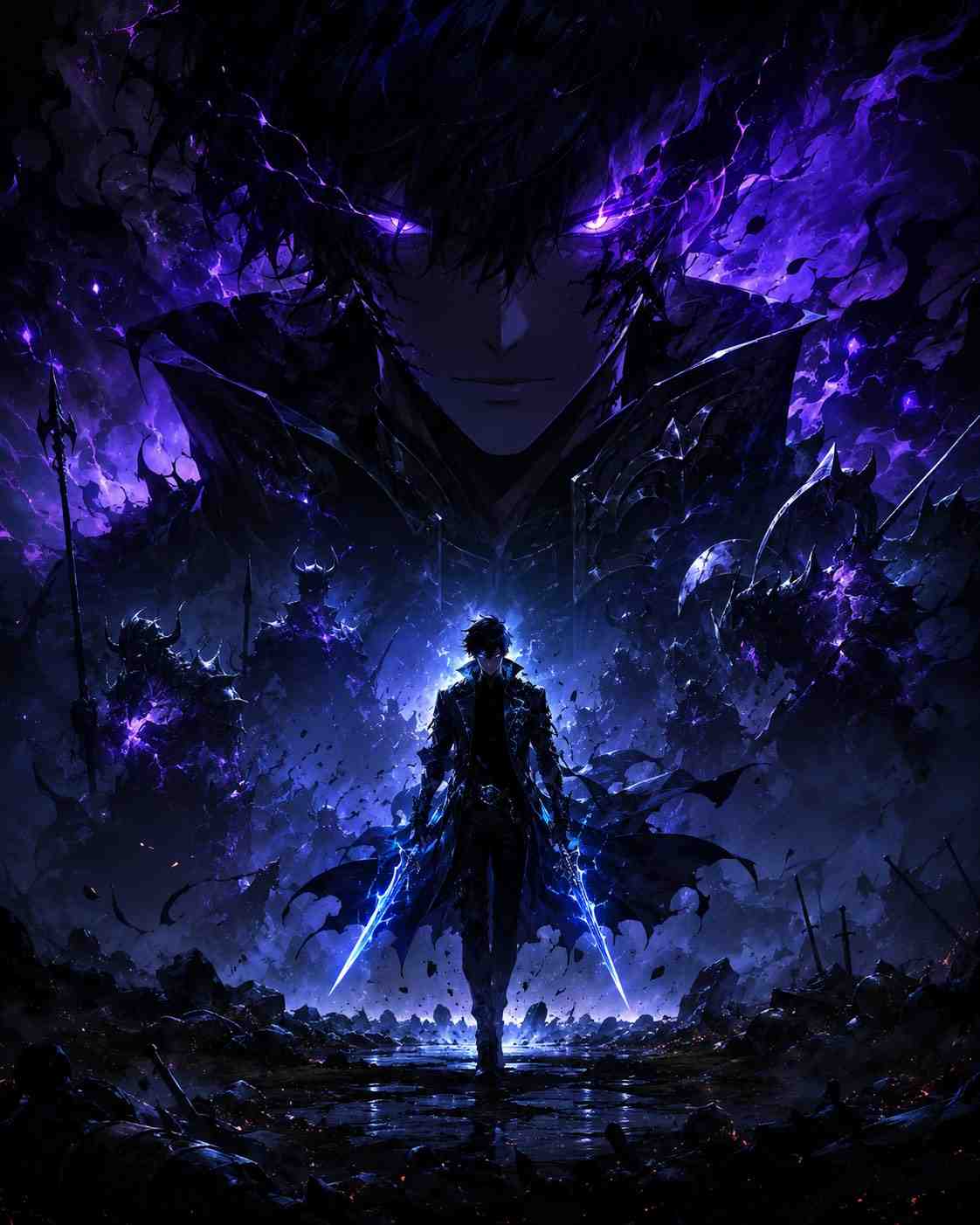
GPT Image 2 prompt: Create an ultra cinematic SOLO LEVELING-inspired promotional poster in vertical 4:5 format (1080x1350).

Aug 19, 20264 views

Prompt

GPT Image 2

GPT Image 2 prompt: Create an ultra cinematic SOLO LEVELING-inspired promotional poster in vertical 4:5 format (1080x1350). The composition follows a strong hierarchy design with massive visual dominance at the top and supporting elements below. The upper section features an enormous shadow-covered warrior face emerging from darkness, glowing electric purple eyes piercing through black smoke, sharp anime-inspired features, partially visible half-body armor silhouette, creating an instantly iconic and intimidating presence similar to a shadow monarch. Flowing dark energy and shadow soldiers subtly appear behind him like a supernatural army. The middle section contains the main character standing confidently on a ruined battlefield, wearing a long black trench coat with glowing blue runes and dual daggers emitting neon energy. His body should appear smaller than the giant face above, emphasizing scale and dominance. Dynamic particles, floating debris, lightning streaks, and aura effects surround him. The bottom section includes minimal typography space for branding or title placement, with cinematic fog, cracked ground textures, glowing embers, and depth-heavy atmosphere fading into darkness. Style should feel like a premium anime movie poster mixed with luxury gaming advertisement aesthetics. Use dramatic contrast, deep blacks, neon blue and purple highlights, volumetric lighting, ultra detailed textures, cinematic depth of field, realistic shadows, high intensity mood, Unreal Engine 5 quality, hyper detailed, 8K, trending ArtStation aesthetic.

How to Adapt This Prompt for GPT Image 2

  • 1Replace the subject and scene, but keep the lighting and lens language (e.g. golden hour rim light, 85mm f/1.4) — those details drive the photorealistic look.
  • 2Keep the composition cues such as framing, background depth and color palette, and adjust the style keywords to match your target aesthetic.
  • 3Be explicit about what you don't want (no watermark, no text) and specify the output ratio if the model supports it.

Related Prompts

Realistic image
Image

Realistic image

A slim-fit 5'7 young man walking down stone steps, wearing a relaxed white linen shirt with the top buttons casually open, light blue straight-fit jeans, and clean white Nike Air Force 1 sneakers.

Nano Banana
Gini
Image

Gini

Maintain the same face and person (use attached photo for accurate face ‎Hyper-realistic cinematic Create an 8k photorealistic image using the attached photo.

Nano Banana
Urban Reflection in Dramatic Light
Image

Urban Reflection in Dramatic Light

Dramatic, ultra-realistic close-up in black and white with high-contrast cinematic lighting from the side, highlighting the contours of his face and beard, casting deep shadows.

Nano Banana
Monochromatic minimal elegant
Image

Monochromatic minimal elegant

Recreate this scene using my submitted photo as a reference, maintaining the same framing, pose, lighting, and style as the example image.

Nano Banana
Horse Rider in Golden Daylight
Image

Horse Rider in Golden Daylight

A realistic outdoor portrait of a man confidently riding a majestic black horse in a green open field.

Nano Banana
Shelby GT500 Night Portrait
Image

Shelby GT500 Night Portrait

A hyper-realistic cinematic portrait of a 190cm tall man (same face as reference) leaning casually against a modified orange Ford Mustang Shelby gt500 with neon under glow.

Nano Banana

All prompts in this library are collected from publicly available sources on the internet, for reference and educational purposes only. If any content infringes your rights, please contact us and it will be removed promptly.